Playlist Types and Priorities (Fuzzy, Periodic, Block)
Playlist Types and Priorities (Fuzzy, Periodic, Block)
This article explains how the five playlist types behave and how they share the airtime on a device.
What a playlist type is
A playlist is a set of media files combined with schedule and distribution settings. Each playlist has a type (Fuzzy, Periodic, Block, Loop Item, or Floating), a broadcast period, broadcasting hours, days of the week, and a file playback order.
The type is selected in the Type dropdown of the Content Distribution section in the playlist form. Five types are available in the dropdown list: Loop item, Floating, Periodic, Fuzzy, and Block.
On the left side of the playlist form, a preview area shows how the selected type is visualized.
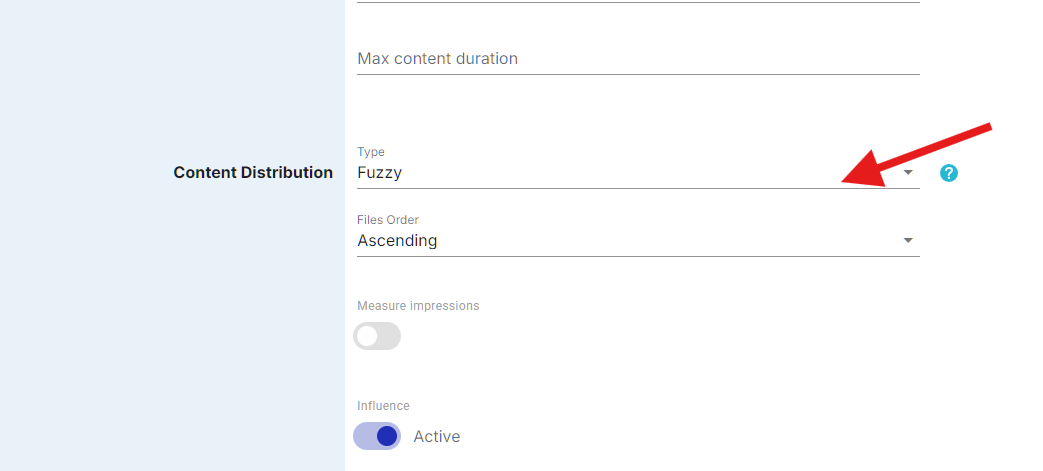
The Type dropdown.
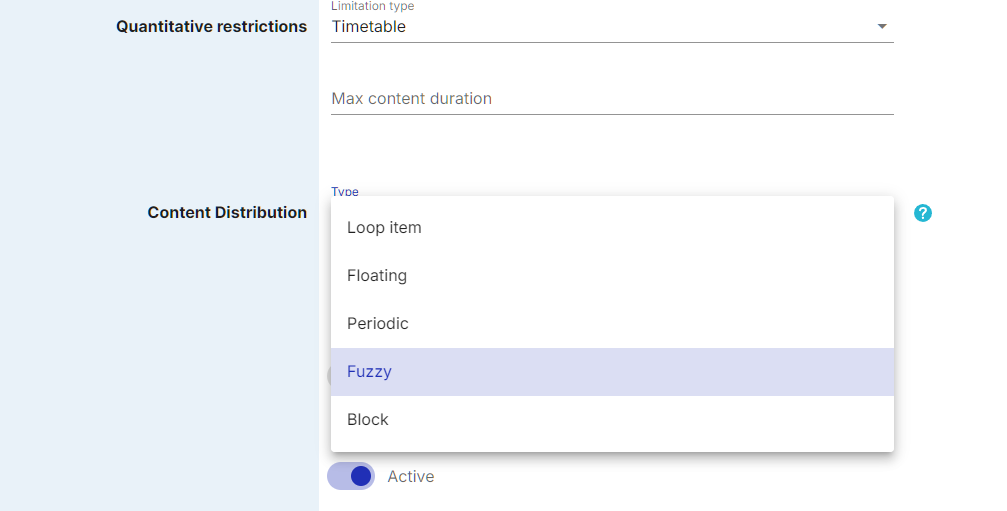
The playlist types.
Fuzzy (Filler)
Fuzzy is the default and simplest type. A Fuzzy playlist loops its content continuously during the configured broadcasting hours. All files play in sequence (according to the Files Order setting), and when the last file finishes, the playlist restarts from the beginning. Fuzzy playlists serve as background content - they fill all airtime that is not occupied by other playlist types. When a Periodic or Block playlist triggers on the same device, the Fuzzy playlist pauses, the higher-priority content plays, and then the Fuzzy playlist resumes.
Example. A cafe screen plays background music videos in a loop all day. The videos are added to one Fuzzy playlist, and the loop simply runs whenever nothing else is scheduled.
Periodic
Periodic playlists play their content at fixed time intervals during the broadcasting window. The operator sets a frequency value (for example, every 15 or 30 minutes), and the platform inserts the playlist’s content into the schedule at those intervals, interrupting the Fuzzy content. This type is used for content that needs a guaranteed number of plays per hour, such as advertising spots with contractual frequency obligations.
The operator sets either a time interval between plays or a target number of plays, and the system calculates the other value automatically.
Example. A sponsor buys one ad play every hour. The ad goes into a Periodic playlist with a one-hour interval: every hour it interrupts the cafe background loop, plays once, and the background resumes.
Floating
Floating playlists distribute their plays evenly across the entire broadcasting window without fixed time slots. The operator specifies the total number of plays required, and the platform spreads them automatically across the available time to ensure even distribution. Unlike Periodic playlists with fixed intervals, Floating playlists avoid clustering and adjust the distribution dynamically.
Example. An advertiser buys 120 plays per day. A Floating playlist spreads them evenly across the opening hours, so the plays do not cluster at any particular time.
Block
Block playlists divide the broadcasting window into fixed-length blocks (for example, 5 or 10 minutes), and each block is subdivided into sections. Files are assigned to sections, and the block structure repeats throughout the broadcasting window. Each section can use a "One of" mode where multiple files are assigned to the same section and the platform randomly selects one file per block cycle. An overfill indicator warns the operator if the total section duration exceeds the block length. Any remaining time in the block after all sections have played is filled by a mandatory filler section.
Example. A shopping mall screen runs 10-minute blocks: the first section shows mall news, the second shows tenant promos, and the third is a "One of" section where several ads rotate one per cycle. The structure repeats every 10 minutes, and any time left in the block is covered by the filler section.
Loop item
Loop item playlists use frequency-based rotation within a continuous loop. Files are grouped by their assigned broadcast time, and the platform calculates a common frequency denominator to determine how often each file appears. Unlike Periodic playlists that interrupt Fuzzy content at fixed intervals, Loop item playlists integrate files directly into the playback loop based on relative frequency weights, so that one file can play more often than another within the same loop.
Example. If one playlist plays once per minute and another once every 5 minutes, the cycle length is 5 minutes with 5 plays of the first and 1 play of the second.
How the types share the airtime
Fuzzy is the background layer - it fills all available airtime not occupied by Periodic, Block, or SSP content. Periodic and Block content has higher priority: when it triggers, the background pauses, the higher-priority content plays, and the background resumes.
Playlists are assigned to individual devices, networks of devices, or video walls. The system aggregates all playlist settings across all assigned playlists for each device and builds a per-second playback schedule for each content zone.
When the SSP Connector is activated for a playlist, the operator enters an SSP Source ID. If the SSP has ad demand for that Source ID, the ad content plays and the playlist’s own files serve as filler. If there is no SSP demand, the playlist plays its own content normally.
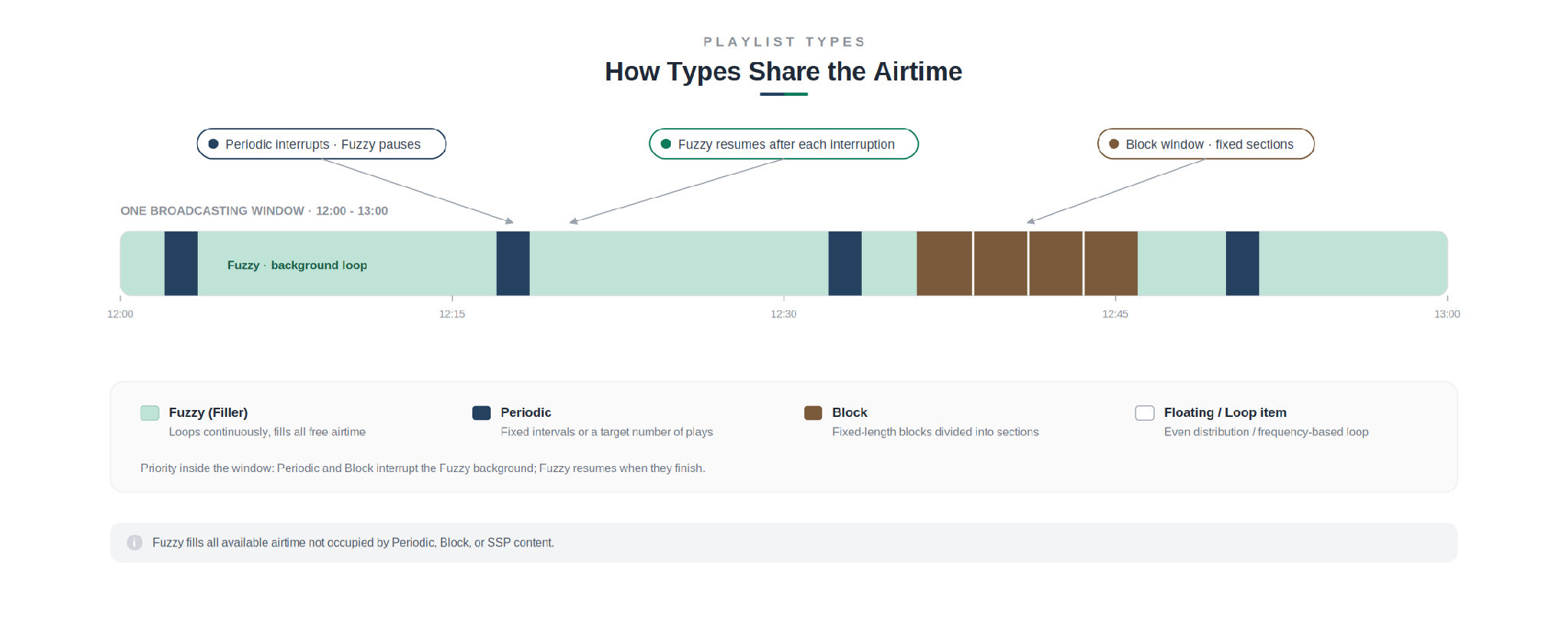
How the types share one broadcasting window.
Playlist categories also affect the order. When multiple playlists from different categories are scheduled on the same screen, the system alternates between categories instead of placing playlists of one category one after another. For example, two "transport" and two "communication" playlists will play in the order transport, communication, transport, communication.
What's next
To create a playlist and choose its type, see the article "Creating and Configuring a Basic Playlist". To configure when playlists play, see "Configuring the Broadcasting Schedule".